 OneSweep
Clean up iPhone storage. No tricks.
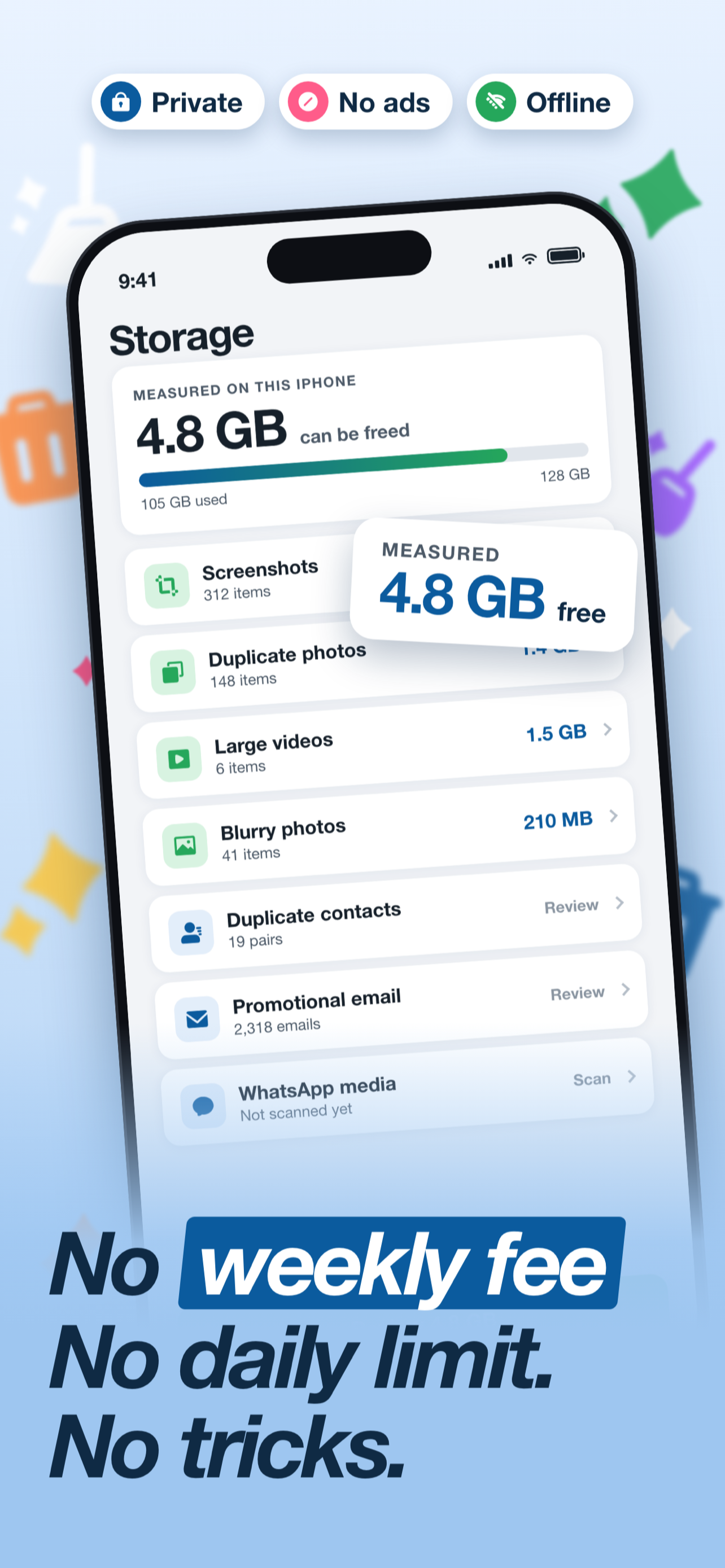
No weekly fee. No daily limit. No number that was not really measured. Every delete waits for your approval.
- Free to scan
- Scans on your iPhone only
- No account needed
- iOS 17+
Real screenshots from the app
Most cleaners trick you. This one measures.
Typical cleaner app
- Shows "You can free 12 GB!" before scanning anything
- Charges $8 to $12 a week
- Stops you after five deletes a day
- Has a "Boost" button that cannot work on iOS
- Claims to clear other apps' caches
OneSweep
- Shows a number only after it has counted it
- $29.99 a year, or $4.99 a month
- Delete as much as you want, no daily cap
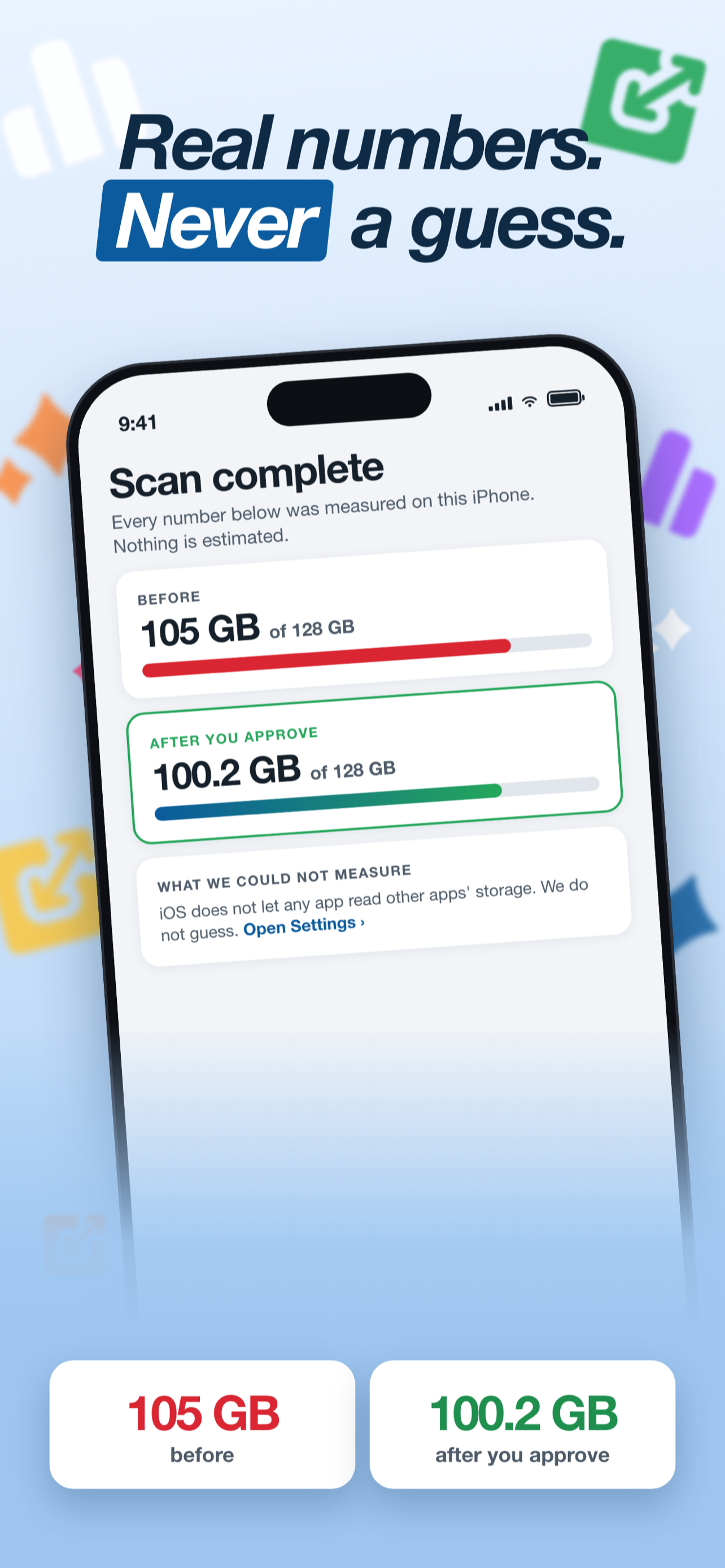
- Says plainly where iOS blocks access, and sends you to Settings
- Every delete goes through a review screen and the iOS confirmation
Nine cleanups. One review screen for each.
Photos, contacts and calendar are scanned on your iPhone. Nothing is uploaded.
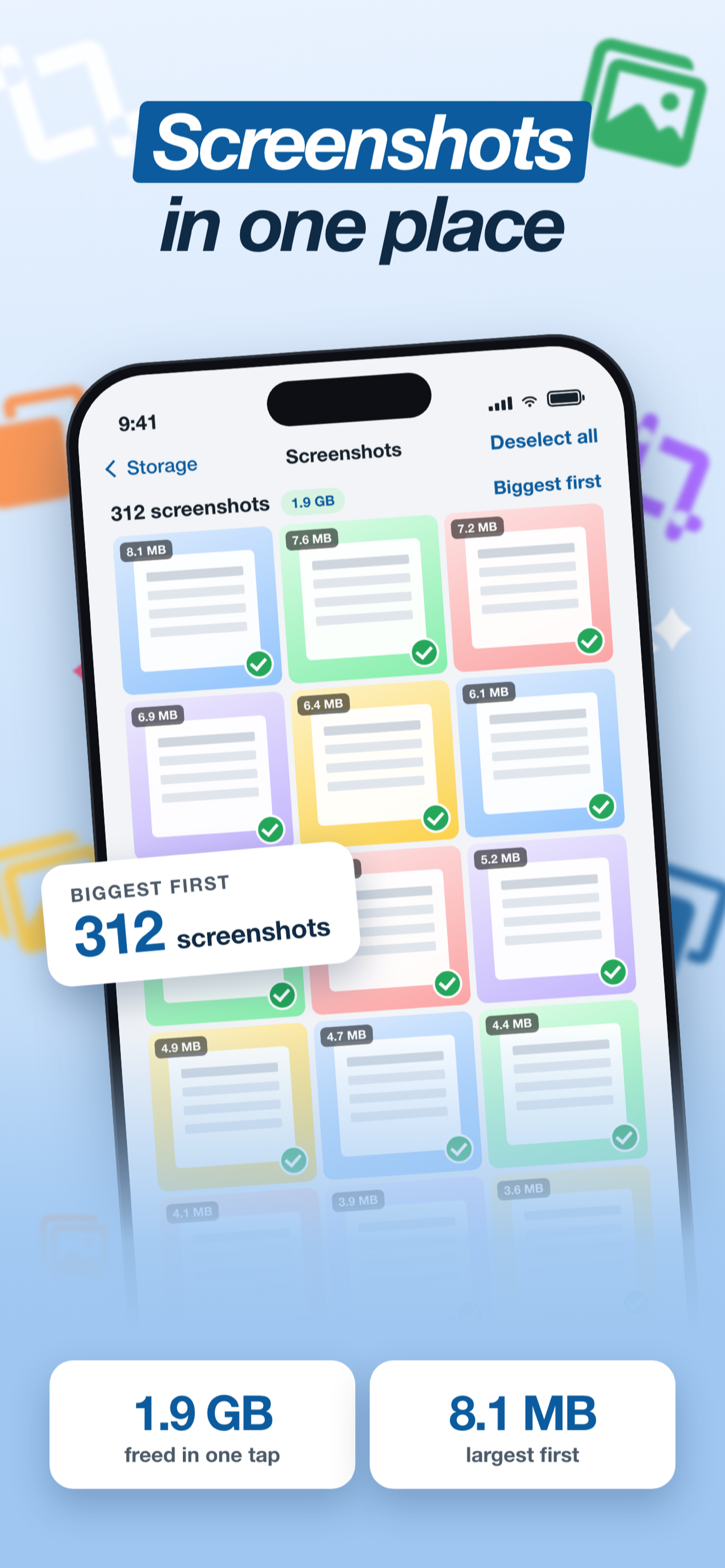
Screenshots
Every screenshot in one place, biggest first, for a fast bulk clean.
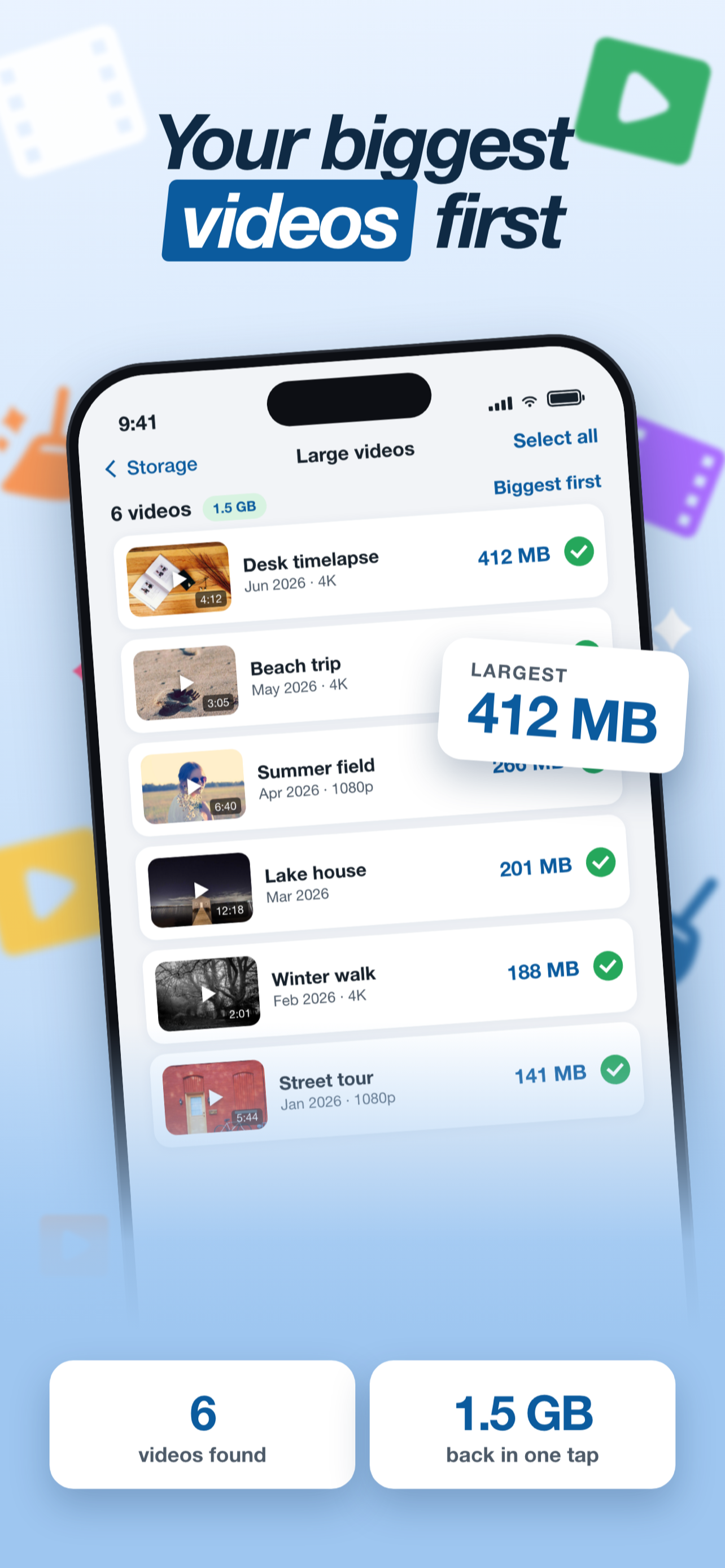
Large videos and files
Your biggest files first, so a few taps free real space.
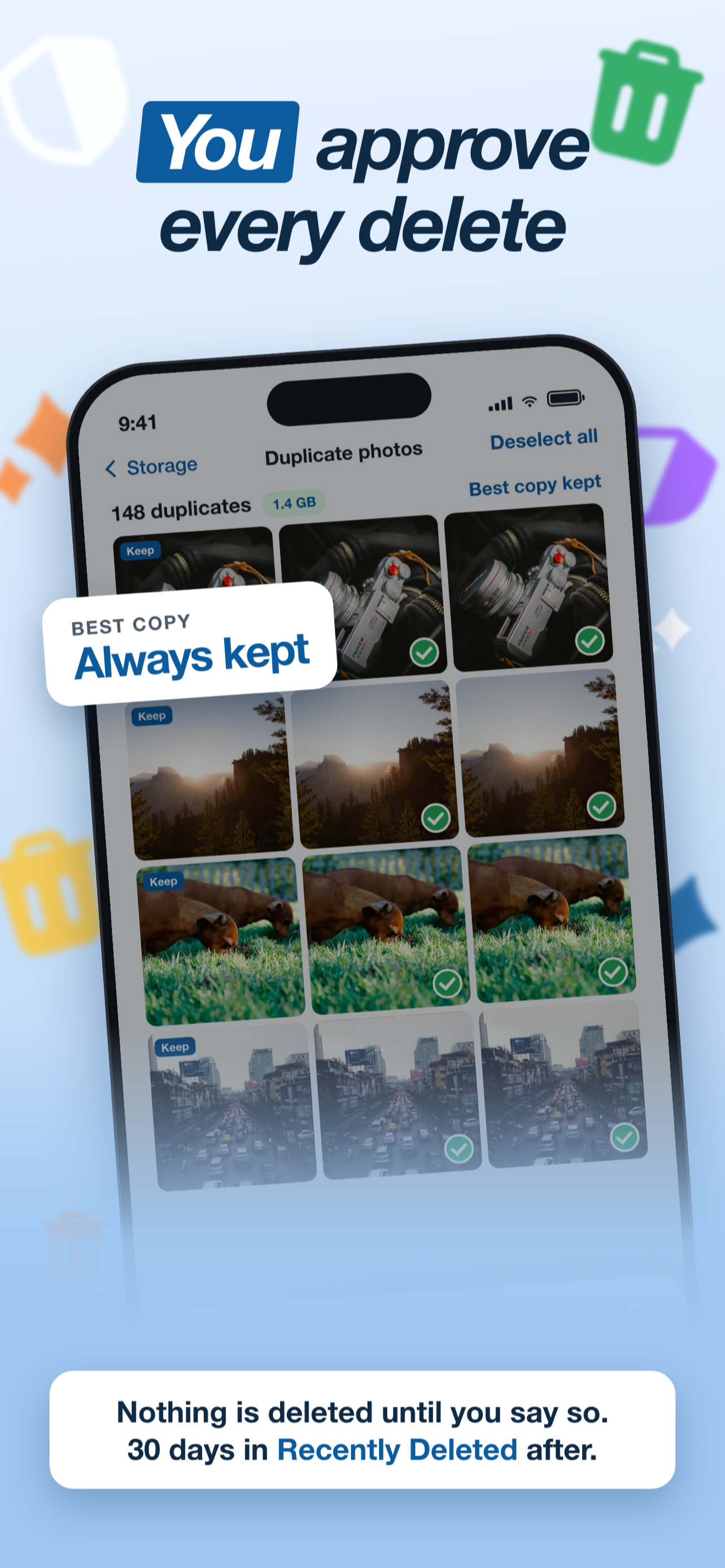
Duplicate and similar photos
Exact copies and near-identical burst shots. A slider lets you set how strict the match is.
Blurry photos
Out-of-focus frames you would never keep.
Old and unused
Photos you have not favourited in over a year, oldest first.
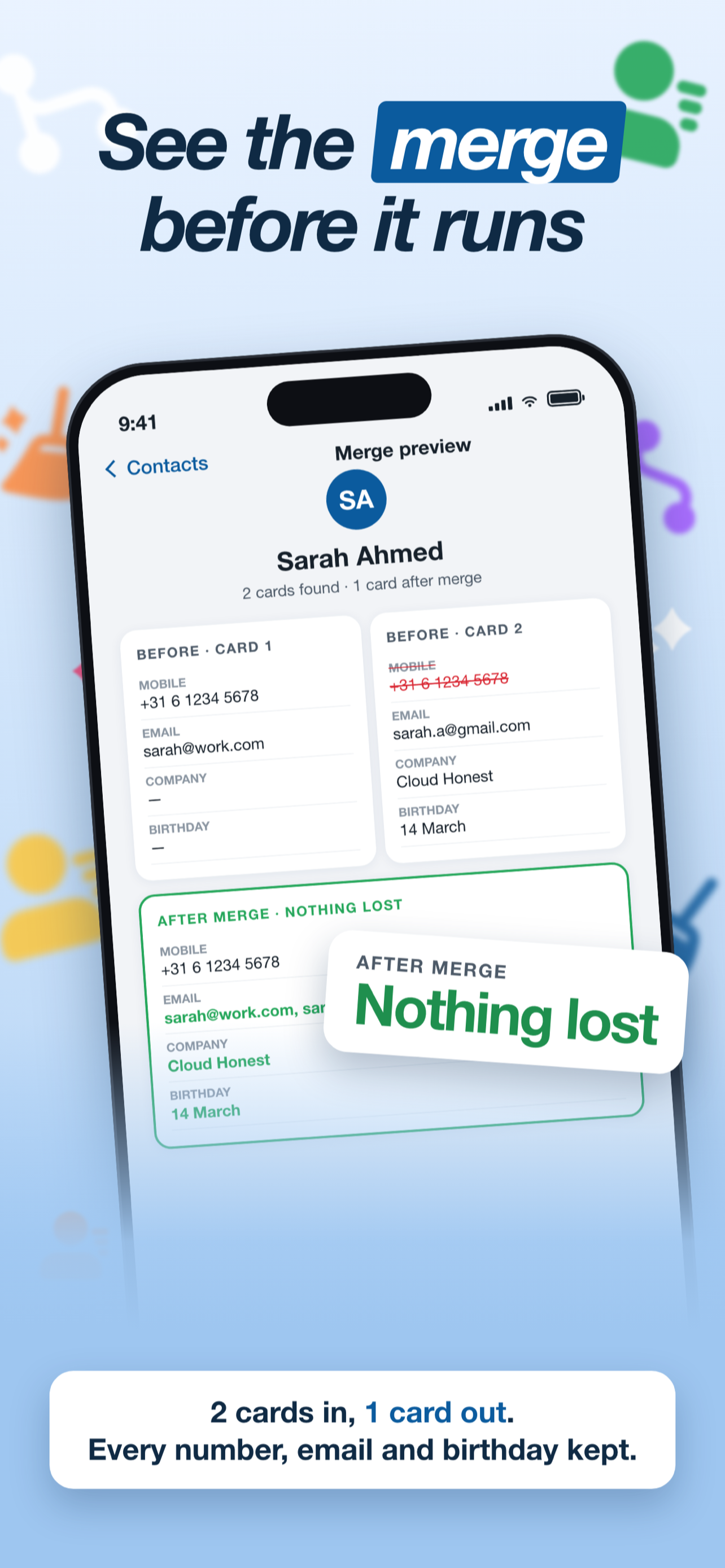
Duplicate contacts
Every merge shows a full before-and-after view. Nothing merges silently.
Calendar clutter
Duplicate and old events, reviewed before removal, because Calendar has no undo.
Promotional email
Connect Gmail, clear newsletters by sender, and unsubscribe for good. Reads only sender, subject and date.
WhatsApp media
Duplicate photos and videos forwarded across chats.
Scan. Review. Confirm.
Scan on your iPhone
Pick a module. The scan runs on the device and shows real sizes when it finishes, not before.
Review every item
See each photo, contact or event it found. Untick anything you want to keep.
Confirm the delete
The delete runs through the iOS system sheet. Photos go to Recently Deleted for 30 days. The Activity log records it.
Where iOS says no, we say so
No app can see other apps' storage or turn on iCloud's "Optimize iPhone Storage" for you. OneSweep tells you the truth and opens the right Settings page with the exact steps.
Private by design
No account. No analytics. No ads. Photos, contacts and calendar never leave the phone. The Activity log can be locked with Face ID. Read the privacy policy.
Made by Cloud Honest
OneSweep comes from Cloud Honest LLC, a hosting company that has run customer infrastructure for years. Honesty is the business, not a slogan.
One yearly price. No weekly trap.
Scanning and photo cleanup are free. Pro unlocks every module.
Pro Monthly
- All nine modules
- No daily delete limit
- Activity log and widget
Pro Annual
- All nine modules
- No daily delete limit
- Activity log and widget
- Save 50% vs monthly
Prices in US dollars. Your local price is shown in the App Store. Subscriptions are billed by Apple and renew automatically unless cancelled at least 24 hours before the end of the period. Terms · Privacy
Frequently asked
Is it free?
Yes. Scanning is free in every module and photo cleanup is fully free. Pro unlocks the other modules. You are never stopped in the middle of a delete.
Can it clear WhatsApp or Safari cache?
No app on iOS can. OneSweep only finds WhatsApp photos and videos that were saved to your Photos library, and tells you honestly when something is out of reach.
Does it upload my photos?
No. Everything is scanned on your iPhone. There is no OneSweep server. The only internet use is the optional Gmail module, which talks directly to Google with your own login.
What if I delete the wrong photo?
Deleted photos sit in the Photos app's Recently Deleted album for 30 days. Open it and tap Recover.
Which languages?
English, German, Spanish, French, Italian, Dutch, Polish, Portuguese and Turkish.
Get your space back today
Free to download. Free to scan. Real numbers only.
Download on the App Store